Trash only, never rm -rf
The only delete path in the code is FileManager.trashItem. Emptying the Trash stays Finder's call, and every removal this session can be undone, one by one.
A free, open-source disk cleaner for Mac
A native SwiftUI cleaner, built for Macs eaten alive by node_modules, Xcode DerivedData, Docker volumes and WeChat caches.
Nothing is ever truly deleted — everything goes to the Trash, undoable the whole way.
Why DiskWise
The only delete path in the code is FileManager.trashItem. Emptying the Trash stays Finder's call, and every removal this session can be undone, one by one.
node_modules, DerivedData, Docker usage, build artifacts — the biggest culprits hiding inside "System Data", which ordinary cleaners won't touch.
Scan results come with an explanation: what it is, what happens if you delete it, how it comes back. WeChat, DingTalk and WeCom get dedicated coverage — on many machines those three alone hold tens of GB.
No updater, no analytics, no ads, no background agent. One .app is all there is — and the code is Apache-2.0, open to audit.
Competitive landscape · 2026-10
Positioning:DaisyDisk's eyes + Mole's hands + a hard line against ever deleting your files
The CLI camp (Mole at 60k★) proves the demand is real but locks non-terminal users out; the most famous GUI, CleanMyMac, is pricey and closed. The "open-source + native GUI + safe deletion" cell is still empty.
Other tools ask whether to "permanently delete". DiskWise has no permanent-delete code path at all.
Apache-2.0 auditable code + SHA-256 with every release DMG + on the Mac App Store (Apple-reviewed).
Developers installing it themselves — and anyone who'd like to free tens of GB for parents, colleagues or designer friends. Chinese-app caches (WeChat, DingTalk) are first-class citizens from day one.
What you get
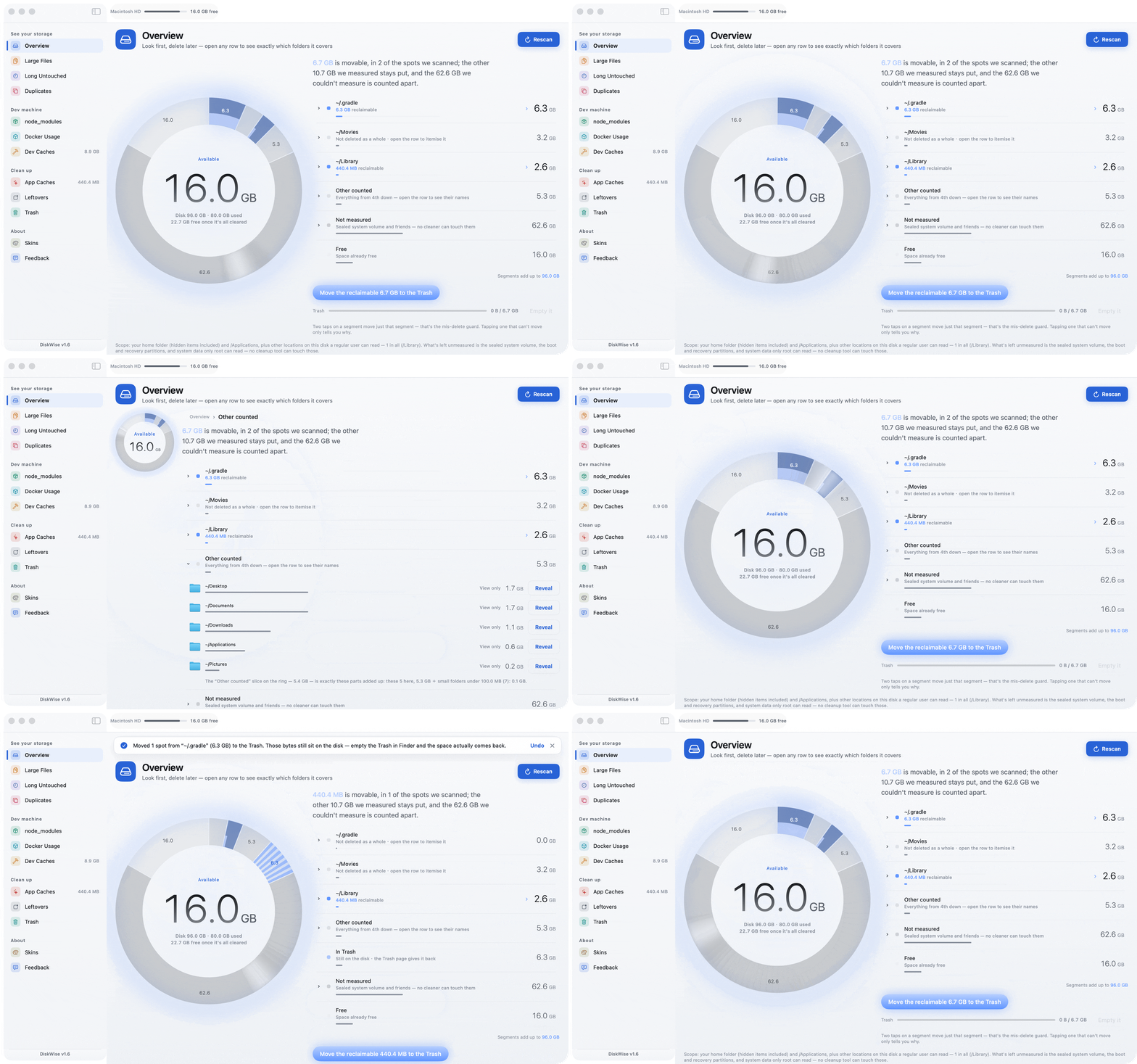
"Seeing clearly" and "daring to act" happen on the same page: find the space hogs, see what's inside, move them to the Trash in two clicks — no page-hopping in between.
The whole volume drawn as one ring: every segment is bytes actually measured on this pass, and the segments sum to the whole disk. The light band sits on the measured edge — you see exactly as far as it has scanned.
Click any row and its subfolders unfold right there, the ring stepping back to a small reference dial. No jumping between pages.
The first click arms, the second moves to the Trash; Undo puts it back. Protected paths (Home, ~/Library) can never be removed wholesale.
Top space hogs across the same roots, plus big files untouched for N days; dev directories skippable in one click.
Size → partial hash → full hash, grouped; the newest copy in each group is locked so you can't nuke the only one. Twins inside venv / DerivedData are listed separately and never compared.
Orphaned data matched against the bundle IDs of everything still installed. Under-reports rather than over-deletes.
Six theme skins changing typeface, radius and motion, ten UI languages — all free, no IAP unlocks.
Install
macOS 13+ · one ~5MB universal DMG for Apple Silicon and Intel
One command, then brew upgrade --cask keeps it fresh.
Apple-reviewed, auto-updating from the store, completely free.
Get it on the Mac App StoreEvery App Store release has to clear Apple's review first, so the store build can sit behind GitHub Releases for a while. For the newest version, use Homebrew or the DMG above.
FAQ
Price (zero vs subscription), transparency (fully open Apache-2.0 vs closed source), and the deletion model (everything to the Trash, undoable vs direct deletion). CleanMyMac adds extras like malware scanning; DiskWise deliberately does one thing — the disk — and does it to the end.
There is no permanent-delete path in the architecture: the only delete action is FileManager.trashItem, and only you can empty the Trash, in Finder. Home, ~/Library and other protected paths can't be removed wholesale.
Docker virtual disks expose no per-image file paths — any tool claiming to delete them one by one is pretending. DiskWise shows the usage read-only and points you to Docker's own prune commands.
macOS 13+, with one ~5MB universal DMG covering Apple Silicon and Intel; also installable via brew cask or the Mac App Store.
Yes. Every feature and all six skins ship unlocked — no telemetry, no ads, no subscription. The App Store version is free too.
Star & Feedback
DiskWise is an independently maintained open-source project. If it freed tens of GB for you, consider leaving a star on GitHub — the more stars it has, the easier the next person crushed by "Your disk is almost full" can find it.
I'd love to hear from you — what works, what doesn't, what's missing. Every message gets read, and the app keeps improving:
English, Chinese, Japanese or Korean are all fine — or just open an issue.